
This guide demonstrates how to build your own web interfaces using Bosbec authentication and data stored in your Bosbec account.
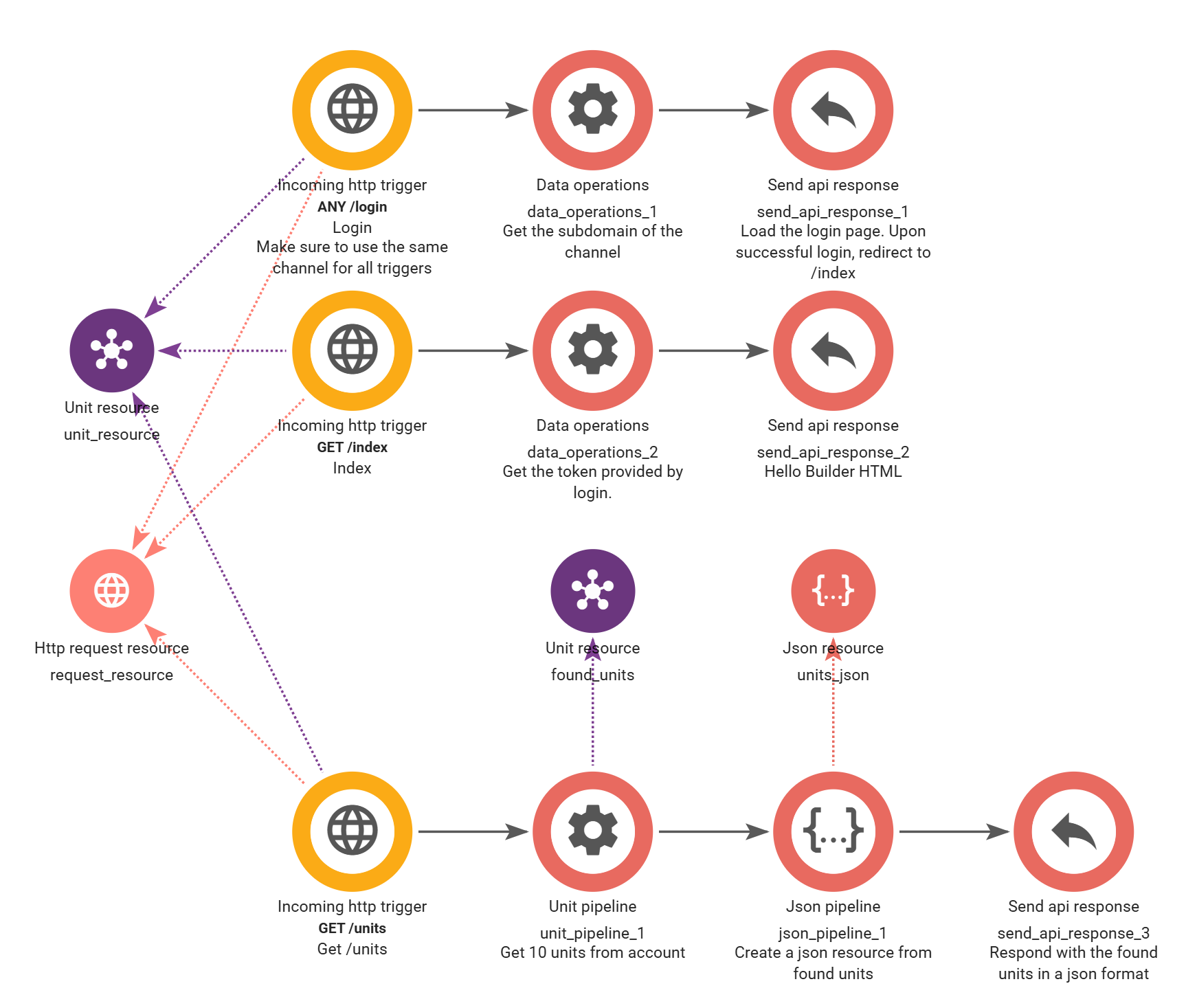
The workflow provides a simple login page and a basic “Hello World” interface that retrieves the first 10 units from your account. It is intended as a starting point that you can extend with your own API endpoints and frontend code.
Import the workflow
Open Workflow Builder and navigate to View > Workflow Library.
Under Tutorials, you will find the template named “Bosbec: Hello World page”.
If you created your account using the button on this page, you may already have selected this template when launching Workflow Builder and can skip this step.
How it works
The workflow consists of two main parts.
The first part exposes a login endpoint. To sign in, use a Bosbec user that belongs to the same account where the workflow is installed.
After a successful login, the user is redirected to the interface page. During this process, the workflow generates an authentication token for the logged-in user. This token is then used to securely request data from your Bosbec account.
The included example simply retrieves the first 10 units from the account, but you can easily extend it with your own API endpoints and business logic.
If you’re new to creating APIs in Workflow Builder, see Building your first API for a complete introduction.
Building your own interface
The API Response jobs in the workflow contain both the backend logic and the HTML used for the example interface.
A simple way to build your own applications is to:
- Create your own API endpoints in Workflow Builder.
- Return the data you need, such as contact unit information or call logs.
- Copy the HTML from the API Response job into a local
.htmlfile. - Open the file in your preferred IDE, such as Visual Studio Code.
- Use GitHub Copilot or another AI coding assistant to help generate and iterate on your interface while using your Bosbec API endpoints as the data source.
For example, you could create an endpoint that returns units with specific metadata and then ask your AI assistant to build a searchable dashboard or management interface around that API.
If you want to learn more about this workflow, we have previously demonstrated the same approach in our blog post Bosbec, Copilot and Warhammer or in the Working with Bosbec and AI help page.