
When we first start exploring the possibilities and requirements of an integration, we usually begin by asking a small set of fundamental questions:
- What is the purpose of the integration?
- What data do I need?
- Where can I find the data?
- How do I access the data?
- Does the data need to be processed before it can be sent further?
The answers to these questions are often sufficient to guide you when designing and building your workflow.
Rather than starting with specific features or technical details, this approach helps establish a clear understanding of why we’re building the workflow and what it needs to accomplish.
A simple mental model
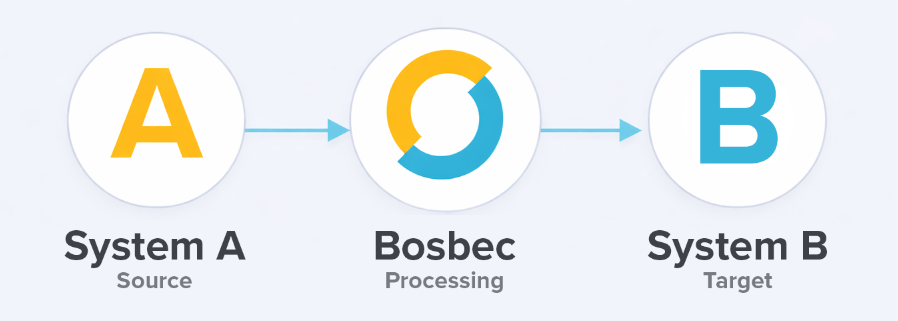
At a high level, most integrations can be described using the same basic model:
- System A – the source system where data or events originate
- Bosbec – where data is received, processed, and orchestrated
- System B – the target system where data is delivered
Data and events typically flow from System A into Bosbec, are processed in one or more steps using jobs, and are then sent on to System B. In some cases, data is also sent back to System A as part of the same process, for example, to update a status or store a reference ID.
This model, sometimes called “Extract, transform, load” (ETL), applies regardless of whether you are working with webshops, CRM systems, or telephony services.
Step 1: Define the purpose
Every integration should start with a clearly defined purpose. Examples might include:
- Synchronizing orders from a webshop to an ERP system
- Creating or updating contacts in a CRM when new data becomes available
- Logging phone calls or events in a customer system
- Exporting data for reporting or downstream processing
Being explicit about the purpose helps you make correct design decisions later, such as which events should trigger the workflow and which data actually needs to be handled.
Step 2: Identify the required data
Once the purpose is clear, the next step is to determine what data is required to fulfill it.
This often includes:
- Core business data (i.e., orders, contacts, products)
- Metadata (timestamps, statuses, identifiers)
- References needed for linking records across systems
At this stage, it is usually helpful to think in terms of minimum required data rather than trying to move everything that is available. Do we need that ID? Do we really need the users’ email addresses?
Step 3: Locate the data
After identifying the data you need, you must determine where it lives and how it is exposed.
Depending on the system, data may be available through:
- Real-time events (i.e., webhooks)
- REST or SOAP APIs
- Files delivered via FTP or email
- Scheduled exports or polling mechanisms
Understanding where the data originates from is critical, as it directly affects how the workflow is triggered and how frequently it needs to be run.
Step 4: Access the data
With the data source identified, the next question is how Bosbec can access it.
Common access methods include:
- Incoming HTTP requests to an API channel
- Outgoing API calls to external systems
- File-based ingestion triggered by uploads or schedules
This step often introduces requirements around authentication and rate limiting, which are covered in more detail in later articles.
Step 5: Prepare and deliver the data
In simple cases, data can be forwarded directly to the target system. In practice, however, most integrations require some level of preparation before data can be delivered reliably.
At this stage, the goal is to ensure the right data is sent in the right format at the right time.
This typically involves:
- Filtering out irrelevant or already processed data
- Enriching the data with additional information when needed
- Structuring and formatting the data to align with the expectations of the target system
- Selecting the appropriate endpoint or interface in the receiving system
- Applying the required authentication method
- Handling responses, errors, and retry behavior
In many cases, the target system exposes an API that requires a specific JSON structure and returns a response containing identifiers or status information. That response often becomes an important part of the workflow and may be used to update a state or store external references on a unit, or trigger subsequent jobs.
Putting it all together
By answering the initial questions and applying this general model, you can usually outline a complete integration before even opening the workflow builder, leaving you better prepared to tackle the task of building it.
In the following articles, we will break this process down further and look at:
- Different ways of getting data into Bosbec
- How authentication is handled
- Common patterns for processing and transforming data
- How data is sent to external systems in a controlled and reliable way
This general integration process will serve as a reference point throughout the rest of the guide.